Why WiseBlockBlock management software
One block management platform, with agents that chase.
Plenty of managing agents run a block across an accounts package, a shared inbox, a dozen spreadsheets and a SharePoint folder nobody can find anything in. WiseBlock puts the building, its people, its fire safety and its money in one place — and gives the chasing to AI agents, so your team keeps the decisions.
- One placeInstead of ERP, email, Excel and SharePoint
- AgentsThey chase and draft; people decide
- ModulesSwitch on what you use, add the rest later
- MigrationDone for you, in batches for large portfolios
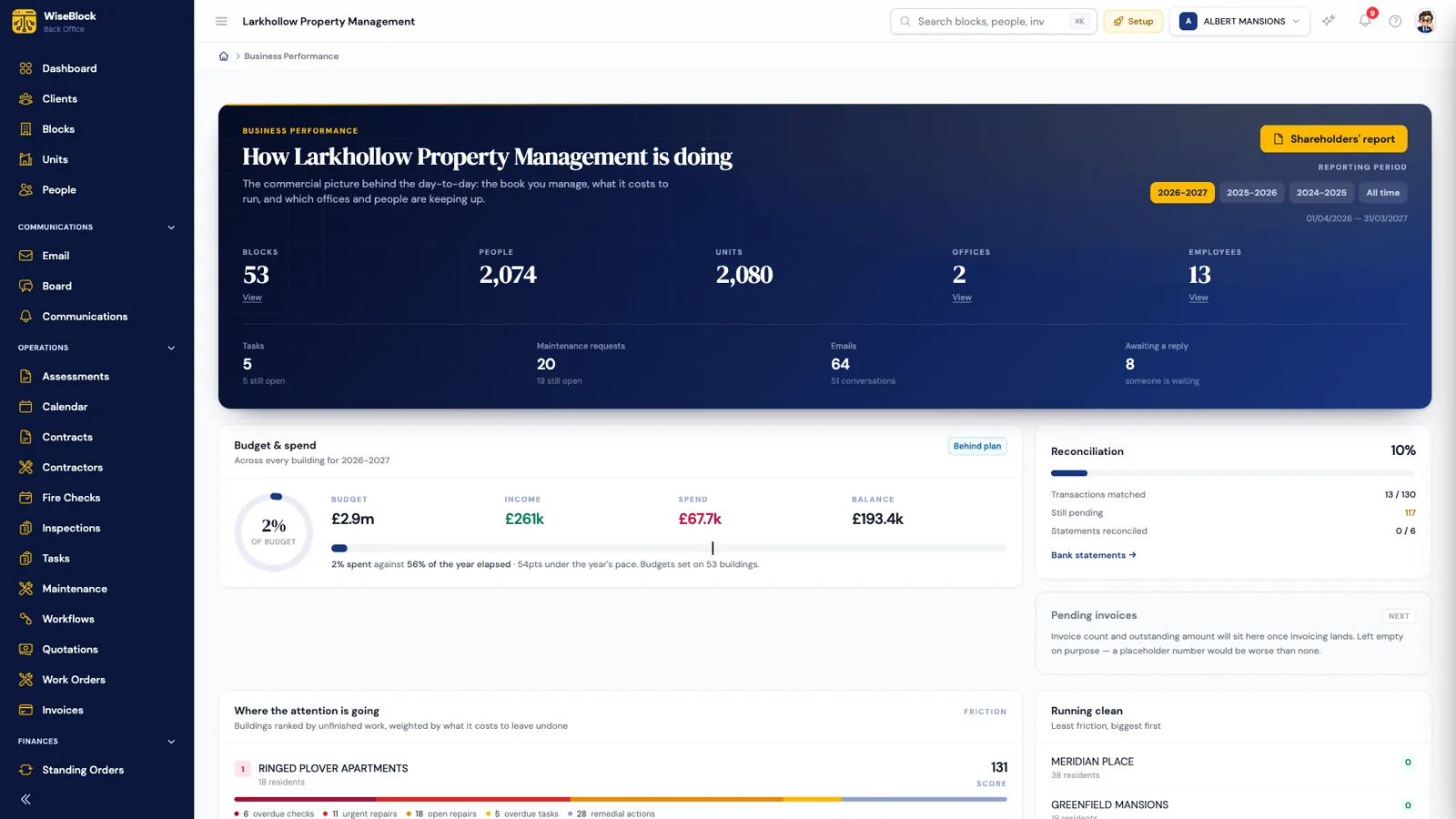
Reason 01One platform
Every block in one record, not five systems.
When the ledger lives in an ERP, the fire risk assessment in SharePoint, the repair in somebody's inbox and the budget in Excel, every question means stitching them together — and every handover loses something.
In WiseBlock the building is the record. Its units, residents and leases, its fire risk assessments and checks, its repairs, contractors and invoices, its budget, ledger and bank account all hang off the same page. Email accounts connect in, so a conversation with a resident sits with the building it is about.
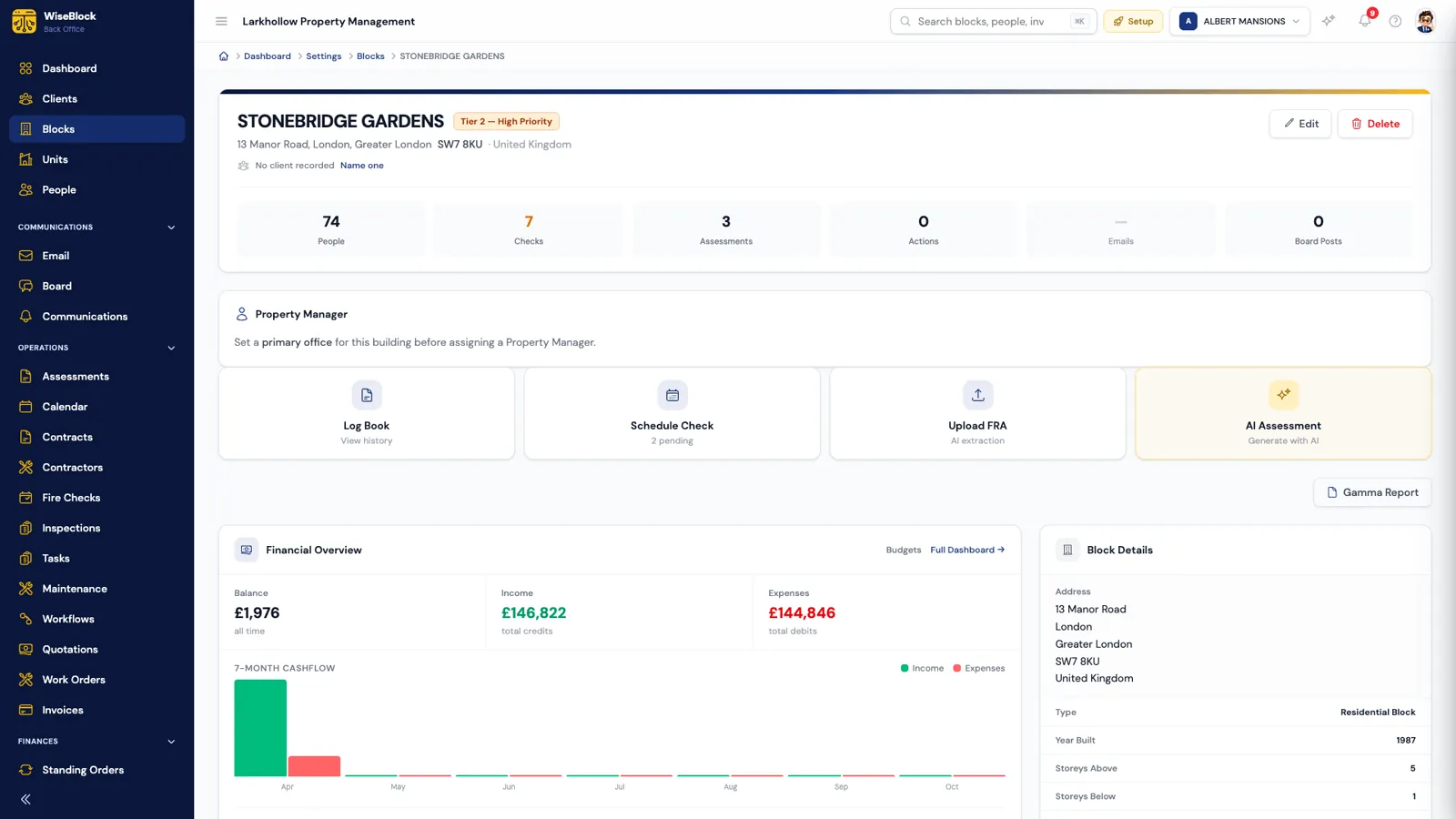
- The building in numbers.
People, fire checks, assessments, open actions and email, counted on one line.
- The next job, one click away.
Log book, schedule a check, upload an FRA, or ask the AI for an assessment draft.
- Its own money.
Balance, income and expenses from this building's ledger alone.
Reason 02Agents that chase
AI agents that do the chasing. People decide.
Each agent has one job, is switched on per organisation, and logs what it did and what it cost. What an agent drafts arrives in a form a person checks before it is saved.
-
AI Receptionist
Answers residents by voice in the resident portal, day and night, about services, repairs and the building.
-
Email Triage
Sorts the incoming building email by type and urgency, labels it and routes it to the right person.
-
Money Collector
Calls residents with outstanding balances on a schedule and thresholds you set.
-
Bank Specialist
Reads statements, creates ledger entries and matches bank lines against the building's records.
-
Maintenance Surveyor
Reads photographs of a fault and drafts the description, category, urgency and trades needed.
-
Contractor Matcher
Scores who to ask for a quote from your own history with each firm — and shows the reasons for every score.
Reason 03Configurable modules
Use what you need. Add the rest later.
WiseBlock is built from modules — buildings, residents, assessments, inspections, contractors, procurement, finances, email, tasks, workflows, reports and more — and agents and add-ons that are switched on separately. You start with the core and turn the rest on when your business needs it, and your quote reflects what you use.
Roles decide who can see and do what in each module. A firm with one office and a firm with ten work the same way; the settings change, not the software.
Modules a role can be granted
- Dashboard
- Clients
- Buildings
- Board
- Calendar
- Assessments
- Inspections
- Contractors
- Procurement
- Finances
- Residents
- Tasks
- Workflows
- Reports
- Team
- Settings
Add-ons
- Cloud storage for documents
- Backups
Reason 04Migration
We move your data. You check it.
Changing system is the part people dread, so we do it for you. You don't need to do any technical work.
Export what you have
Buildings, units, residents, financial history, inspections, documents and contacts — whatever your current system or spreadsheets can export.
We map and import
Our team maps your data onto WiseBlock's records and imports it against the right organisation, office and building.
You check it
Everything is verified with you before go-live, building by building.
Go live in batches
Large portfolios — 500 buildings and more — move across in phased batches, so day-to-day work never stops.
Questions
Switching, answered.
Do I have to pay for every module up front?
No. You start with the core platform and add modules, agents and add-ons as you need them. Your quote reflects what you actually use.
What systems can you migrate from?
If your current system or spreadsheets can export your data — as CSV, for example — we can bring it across. Our team does the mapping and the checks; you review the result before go-live.
How do you handle a large portfolio?
In phased batches. For portfolios of 500 buildings or more, we migrate a group at a time and verify each one, so the rest of the portfolio keeps running as normal.
Is WiseBlock suitable for a small portfolio?
Yes. There is no minimum portfolio size, and a firm with a handful of blocks uses the same tools as a large one.
Will the AI change records without anyone checking?
No. Agents draft, sort, match and chase. Anything they propose — a repair scope, a reconciliation match it isn't sure of — goes to a person to confirm.
Is my data secure?
Each organisation's data is isolated from every other's, and access inside it follows the roles you set. Data is stored and processed within the UK and the European Economic Area, as our privacy policy sets out.
Related
Next step
See the difference on your own blocks.
A 30-minute demo on a portfolio like yours: fire safety, repairs, residents and service charges, with the agents switched on.