For residentsResident portal
Your resident portal: your home, in writing.
If your building is managed on WiseBlock, you have a resident portal. It shows what you owe and why, lets you report a repair with a photo and follow it to the end, keeps the building's notices in one place, and lets you choose how your managing agent contacts you.
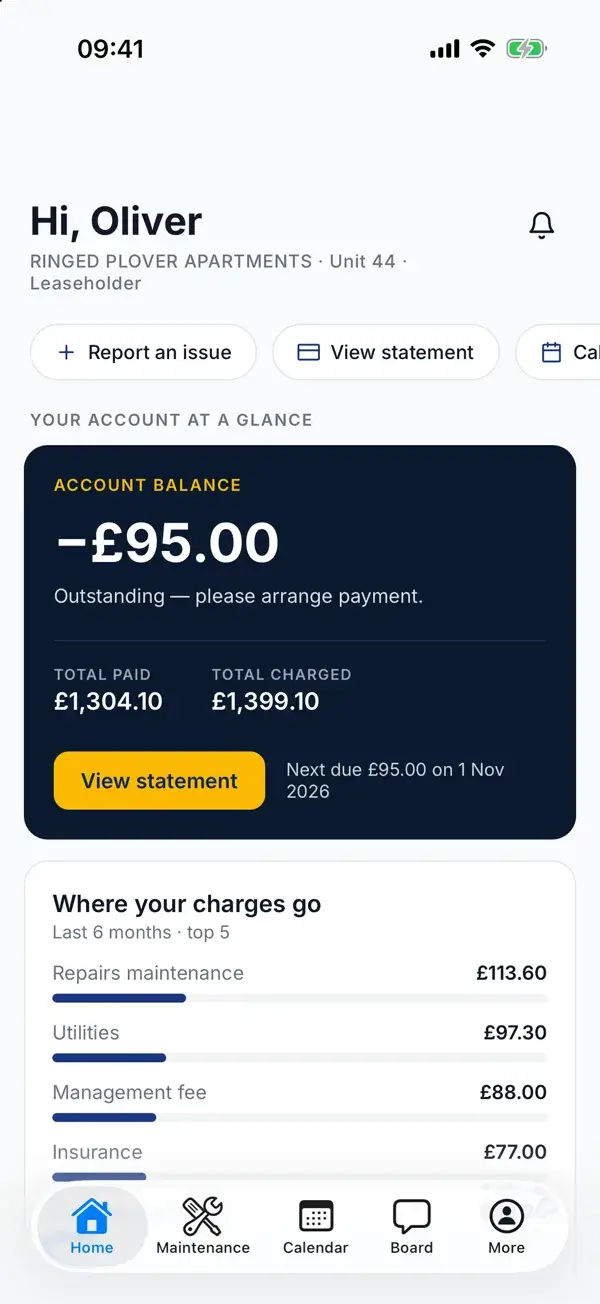
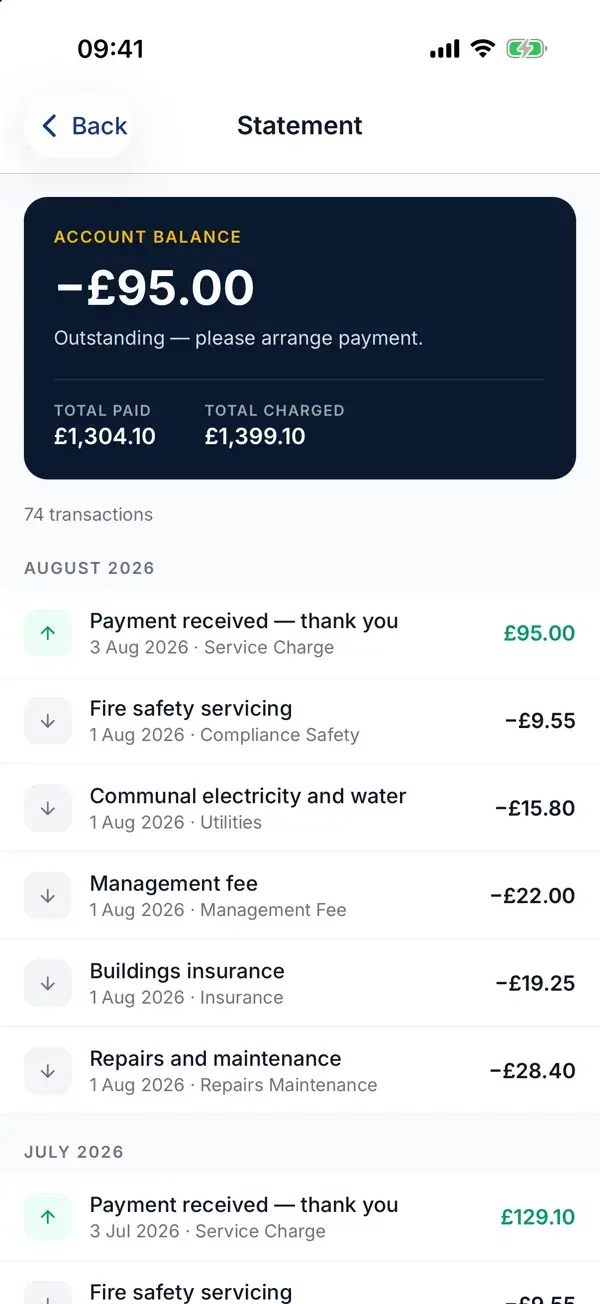
A resident's home screen and statement in the WiseBlock app, with demo data.
Sheet 01What's in it
Everything about your flat, in one place.
The portal works in any browser, on a phone or a computer. Your managing agent switches access on for you; you sign in with your email address.
-
Your account
A statement of every charge and payment on your account, with the running balance and your payment reference — filter it by type, category or date.
-
Service charges
Your share of each heading of the building's budget, in percentages and pounds, and every service charge demand raised on your flat.
-
Repairs
Report a fault with photos or a PDF, follow it as it is triaged and booked, and add comments along the way.
-
The building board
Notices from your managing agent and posts from neighbours, with comments, reactions and polls.
-
Calendar
What's coming up in the building: inspections, works, meetings.
-
Notifications
Updates as they happen, in the portal, marked read when you've seen them.
Sheet 02Money
See what you owe, and why.
Your service charge is your flat's share of the building's annual budget, split heading by heading — cleaning, insurance, repairs, the reserve fund. In the portal you see that split as it applies to you: the share your flat carries of each heading, the size of the pot, and what it comes to for the year and per month.
Each service charge demand raised on your flat is listed with its period and total. Open it on screen, print it, or download the PDF — the same document your managing agent sent.
Paying
-
Your payment reference
Shown on your statement. Quote it on a bank transfer so the payment is matched to your account.
-
Payment links
When something is outstanding, your managing agent can send a secure payment link by text, email or portal notification.
-
A clear statement
Charges, payments and anything still pending, so you can check a balance before you pay it.
Sheet 03Repairs
Report a repair once, then follow it.
A photo usually saves a visit. Once you've sent it, you can see where the job has got to without chasing anyone.
Report it
Describe the fault and attach photos or a PDF from the Repairs page of your portal.
It is looked at
Your managing agent's team reviews it, decides how urgent it is and who should do the work.
Follow and comment
The request shows its status as it moves on. Add a comment if anything changes.
Closed
When the work is done the request is closed, and stays in your history.
In a fire or any emergency, call 999 first. The portal is not an emergency line.
Sheet 04Help, any time
Ask Jordan. Or talk to Emma.
Jordan is the portal's chat assistant. It can see your account, so it answers about your flat: your balance, your repair, what's on in the building. It can also send you a payment link by text.
Emma is the same help by voice — start a call from the corner of the portal and speak to her, day or night.
Both are AI assistants. Jordan never shares your details with anyone else, and anything they can't settle goes to your managing agent through the portal's contact page — or as a repair request, so it is tracked in writing.
Sheet 05Your choices
You decide how we reach you.
Your profile holds your contact details and your preferences. Your managing agent's messages follow them automatically.
-
Channels
Switch email, text message, WhatsApp, phone calls and post on or off individually.
-
Topics
Choose whether you want financial updates, maintenance and safety news, and community posts.
-
Paperless
Go paperless, or keep letters coming to a correspondence address you set yourself.
-
Automated calls
Opt out of automated payment-reminder calls if you'd rather not receive them.
Questions
Resident portal, answered.
How do I get access to the portal?
Your managing agent switches portal access on for your account. If your building is on WiseBlock and you don't have a login yet, ask them — then sign in from the resident login page with your email address.
Does it cost me anything?
No. The portal is provided by your managing agent as part of managing your building.
I've forgotten my password.
Use the reset link on the resident login page and a new one will be sent to your email address.
Why is my service charge this amount?
Open Service charges in the portal. It shows your flat's share of each budget heading, how big each heading is for the year, and what that comes to for you.
Can I stop getting texts or calls?
Yes. In your profile, switch off any channel you don't want, including WhatsApp and automated reminder calls. Your managing agent's messages respect those settings.
Related
Next step
Is your building on WiseBlock yet?
If you're a managing agent, or a resident director of an RMC or RTM company, see what residents get and what your team gets behind it.