Solutions by roleManaging agent software
Leasehold management software, shaped to your role.
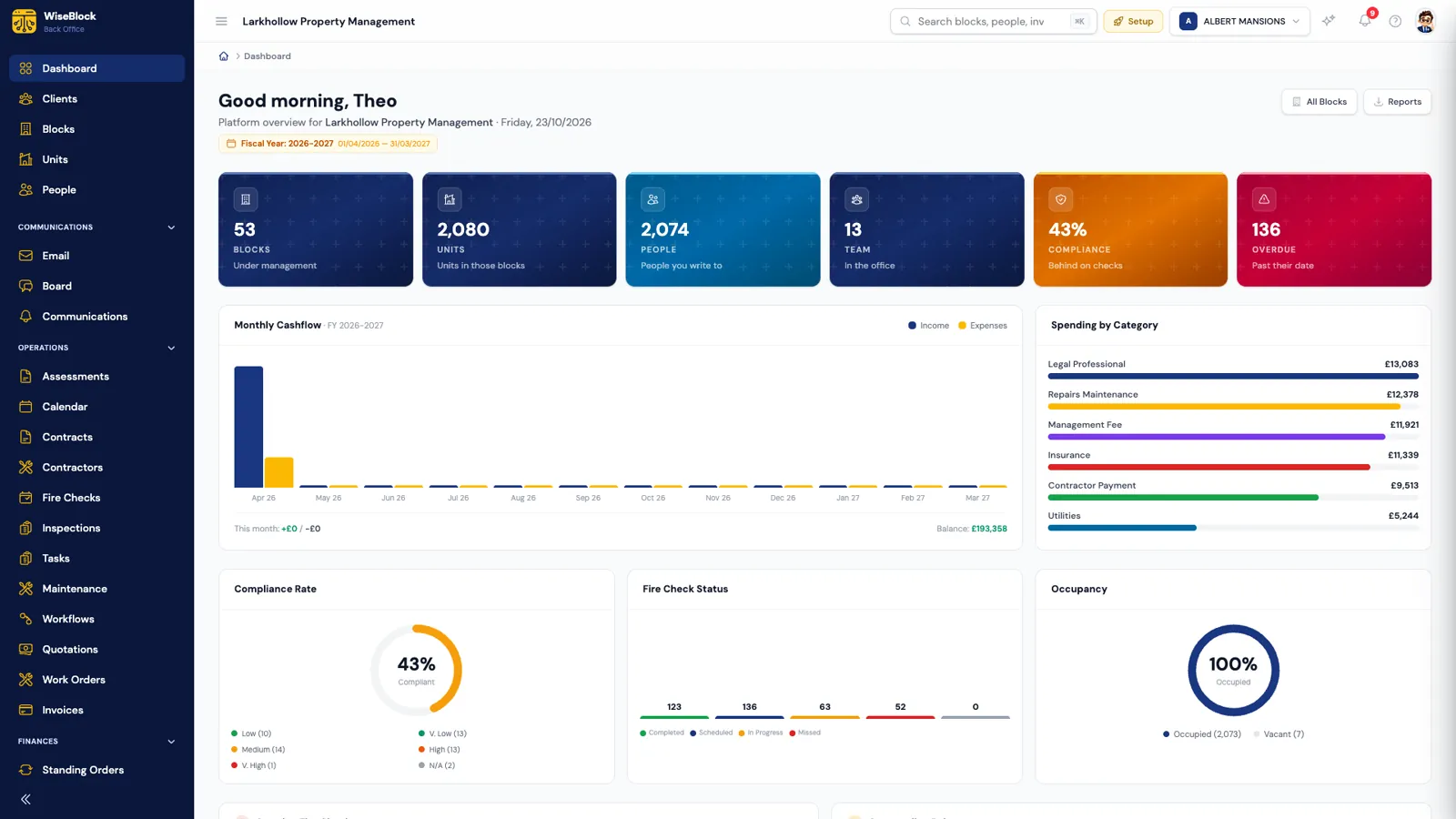
A block is run by several people who need different things from the same records: the property manager answering residents, the fire safety lead chasing actions, the directors watching the budget, the inspector at the riser and the accountant closing the year. WiseBlock gives each of them their part, from one set of data.
Sheet 01Who it is for
Five roles, one set of records.
Access is set by role, so each person sees the modules their job needs — and an administrator decides who sees the money.
-
Managing agents
Property managers running a portfolio: residents, repairs, contractors, communications and the service charge, across every block and office.
-
Fire safety leads
Whoever owns the fire safety file: assessments, findings, remedial actions and the checks that prove the building is kept safe.
-
Freeholders, RMCs and RTMs
The people the building belongs to, or who manage it for the leaseholders: budgets, demands, spend and compliance, in figures they can follow.
-
Building managers and inspectors
The people on site: scheduled fire checks, NFC check-ins at the riser, faults logged with photographs.
-
Accountants
The ledger per building, bank reconciliation over Open Banking, contractor invoices checked before they are approved.
Sheet 02Managing agents
The portfolio, without the inbox.
Every block, unit, resident, contractor and pound sits in one place, so a property manager can answer "where is my repair?" or "why is my service charge this?" without opening four systems.
The AI agents take the repetitive work: the receptionist answers residents in the portal, the email triage agent sorts the shared inbox, the money collector rings residents in arrears, and the maintenance surveyor turns a photo of a fault into a scope a contractor can price. People still make the decisions — every draft lands in a form somebody checks.
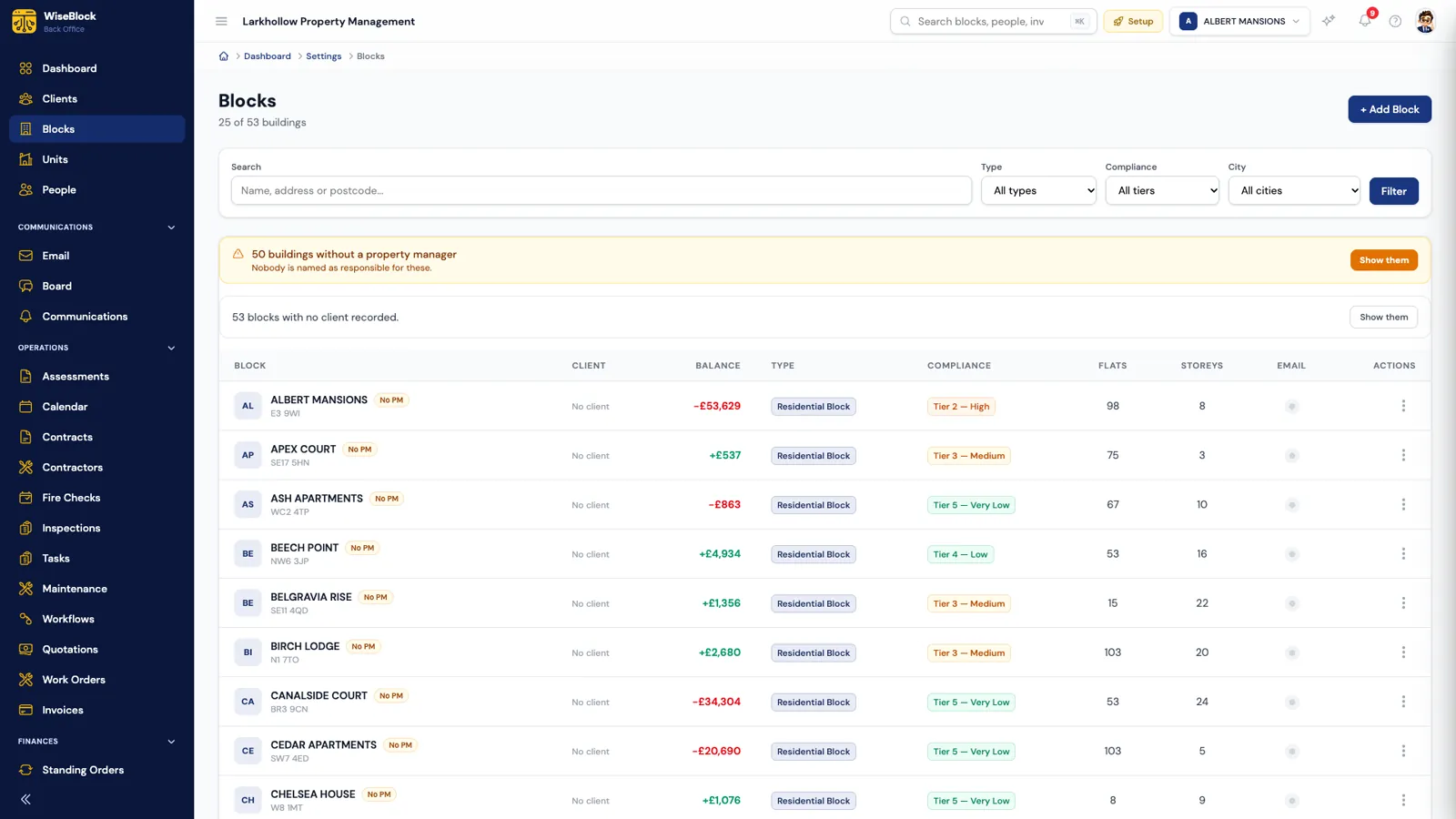
- Gaps called out.
Blocks nobody is named responsible for are flagged at the top, not discovered later.
- Money per block.
Each building's balance, from its own ledger, never pooled across the portfolio.
- Risk at a glance.
A compliance tier on every building, so the high-risk blocks are the ones you look at first.
Sheet 03Fire safety leads
The fire safety file, kept current.
Fire risk assessments move through a clear workflow — draft, submitted, reviewed, signed off, archived — with findings, risk ratings and remedial actions tracked to completion. Digital signatures and PDF reports come out of the same record.
Fire checks are scheduled, assigned to an inspector and marked completed or missed, so the evidence the Regulatory Reform (Fire Safety) Order and the Building Safety Act ask for is already written down.
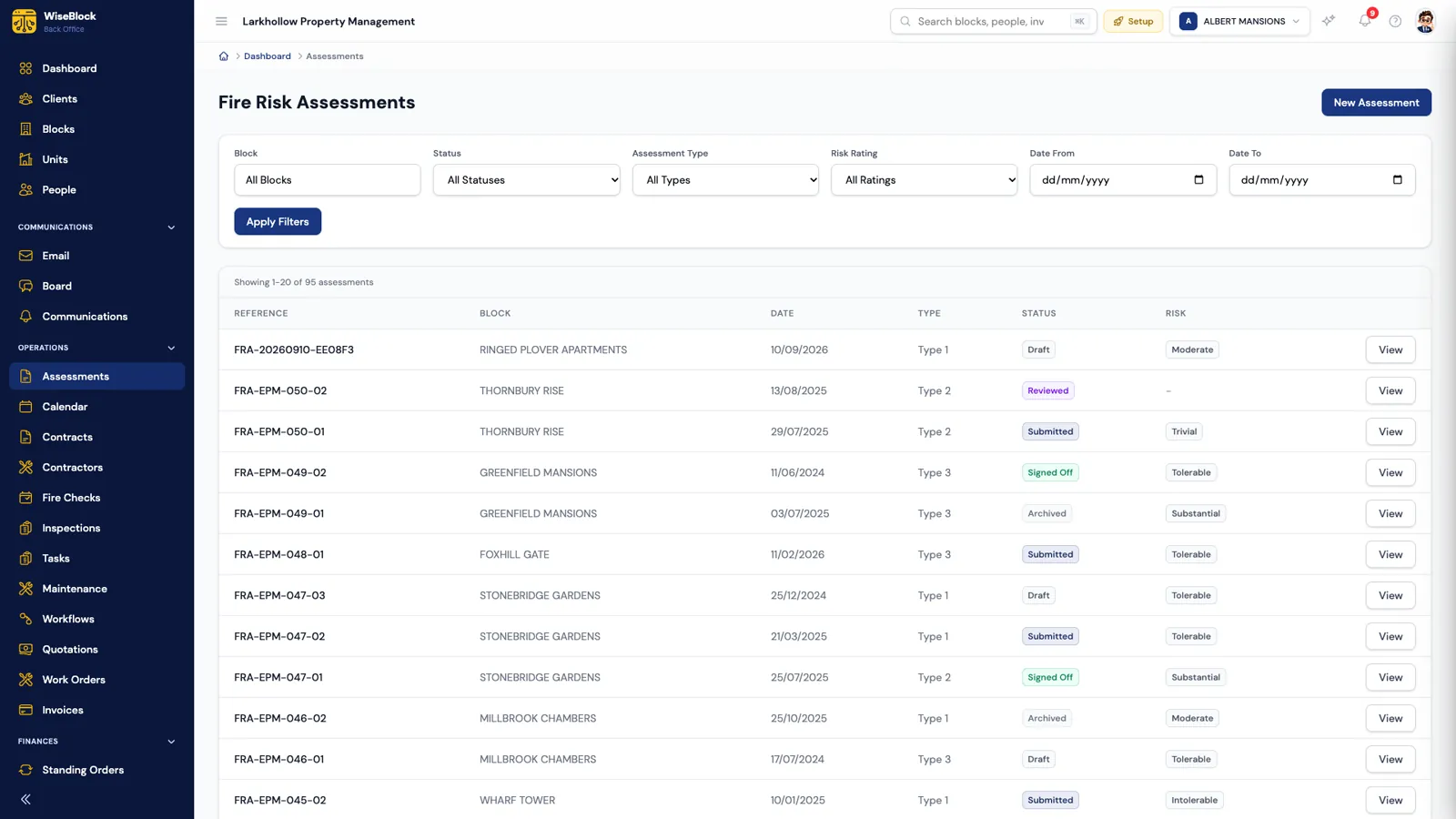
- Every type.
Type 1 to Type 4 assessments, filtered by block, status and risk rating.
- Where it stands.
Draft, submitted, reviewed, signed off or archived — never a loose PDF.
- The risk rating.
From trivial to intolerable, so the worst buildings come up first.
Sheet 04Freeholders, RMCs and RTMs
The figures behind the service charge.
Directors of a resident management or right-to-manage company, and freeholders, are answerable to leaseholders for how the money is spent. WiseBlock keeps the arithmetic visible: a budget per building and year, split across headings like Cleaning, Insurance and Reserve Contribution, with what has been spent and committed against each.
An RMC or RTM company that runs its own block can use WiseBlock directly. One that appoints a managing agent gets the same records from the agent — reports exported to CSV or PDF, rather than a spreadsheet rebuilt every quarter.
-
Budgets by heading
Spent, committed and what is left under every heading.
-
Apportionment
Each unit's share of each heading, to four decimal places.
-
Demands
Service charge demands raised per unit, monthly or yearly.
-
Approval limits
Spend over the building's threshold waits for sign-off.
Sheet 05Building managers and inspectors
On site, recorded as it happens.
Inspectors see the checks assigned to them, complete them on the spot and attach notes and photographs. NFC tags fixed at the riser or the panel record that somebody actually stood there. The back office sees the result as soon as it is saved.
Faults found on a walk-round are logged with photographs and the channel they came in by — site visit, phone call, email — and go straight into the maintenance queue.
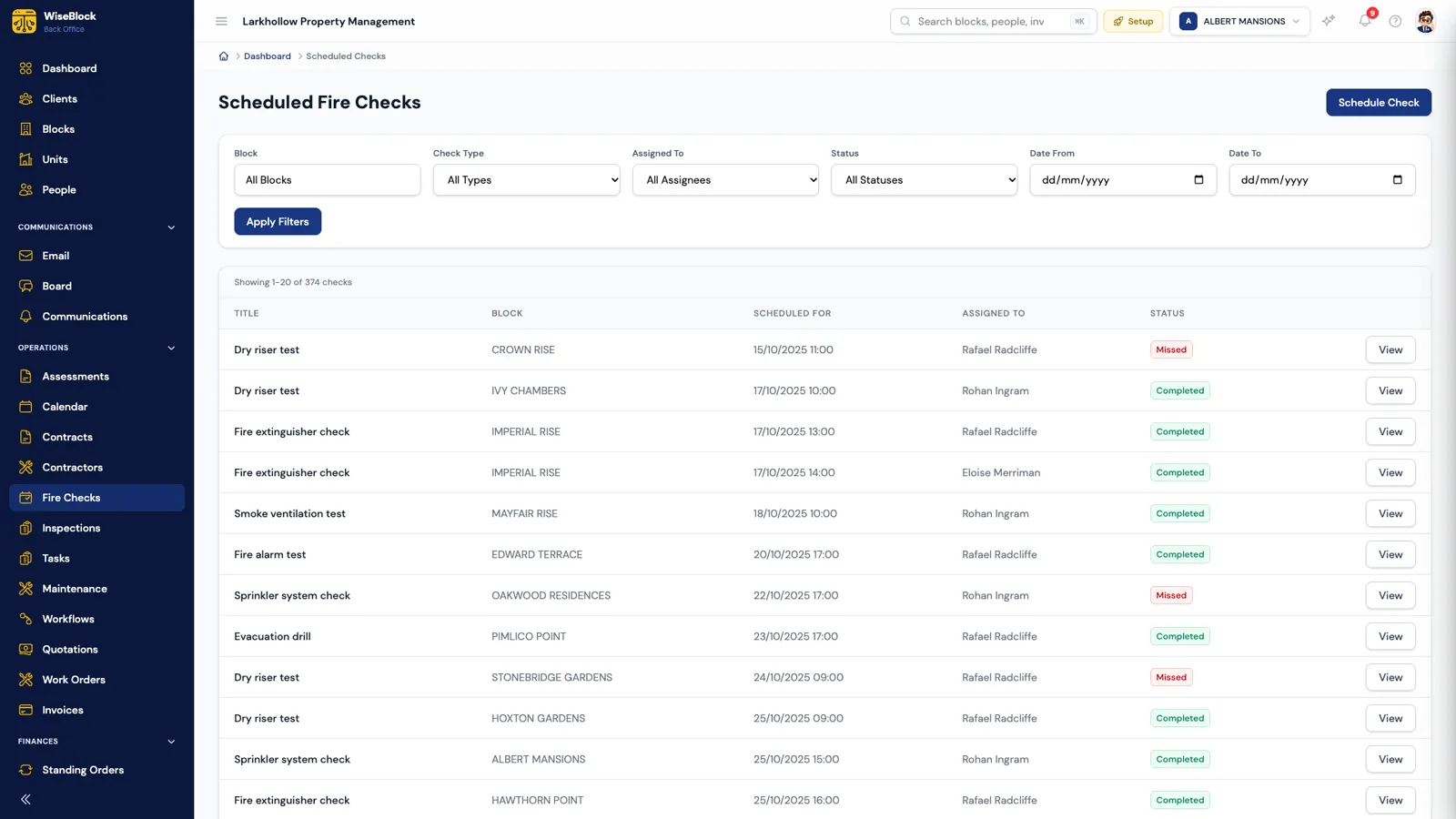
- When it is due.
Every check has a date and time, in the organisation's own time zone.
- Who is going.
Each check is assigned to a named inspector.
- What happened.
Completed or missed — a missed check is visible, not forgotten.
Sheet 06Accountants
Client money, matched line by line.
Each building keeps its own ledger. Bank statements come in over a read-only Open Banking connection, or as an uploaded PDF or CSV, and the Bank Specialist agent matches them to the ledger. What it can't be sure of comes to you, with a suggestion.
Contractor invoices are checked against the work order before anyone approves them, and every approved invoice lands in the ledger under the budget heading the job was charged to.
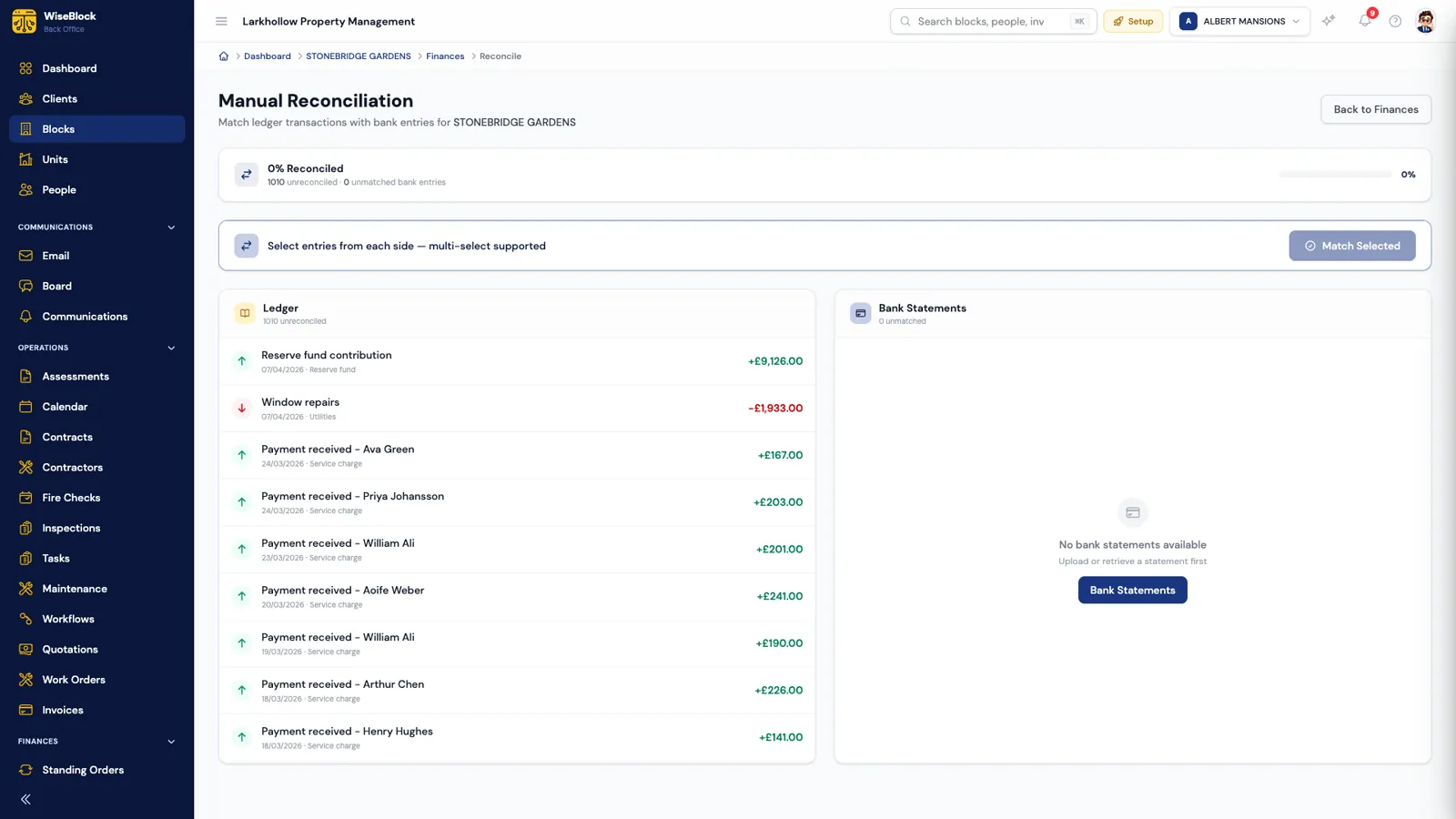
- The building's ledger.
Income and spend for this block only, each entry under its category.
- The bank's side.
Statement lines, to be matched one-to-one or several-to-one.
Questions
Roles, answered.
Can different people see different things?
Yes. Access is set by role and module, so an inspector can see their fire checks without seeing the ledger. Commercial figures stay with administrators.
We are an RMC that manages its own block. Is WiseBlock for us?
It can be. The same tools a managing agent uses — budgets, apportionment, demands, repairs and fire safety — work for a single self-managed block.
Do residents get access too?
Yes, through the resident portal: their service charges and demands, repairs they have reported, notices and the building's message board.
Does it work for contractors?
Contractors use their own supplier portal to receive requests for quotes, price them, follow work orders and send invoices.
Free guidePDF
The 2026 Guide to AI-Driven Property Management (UK).
Reduce costs, automate compliance and eliminate manual work: a practical guide for UK managing agents.
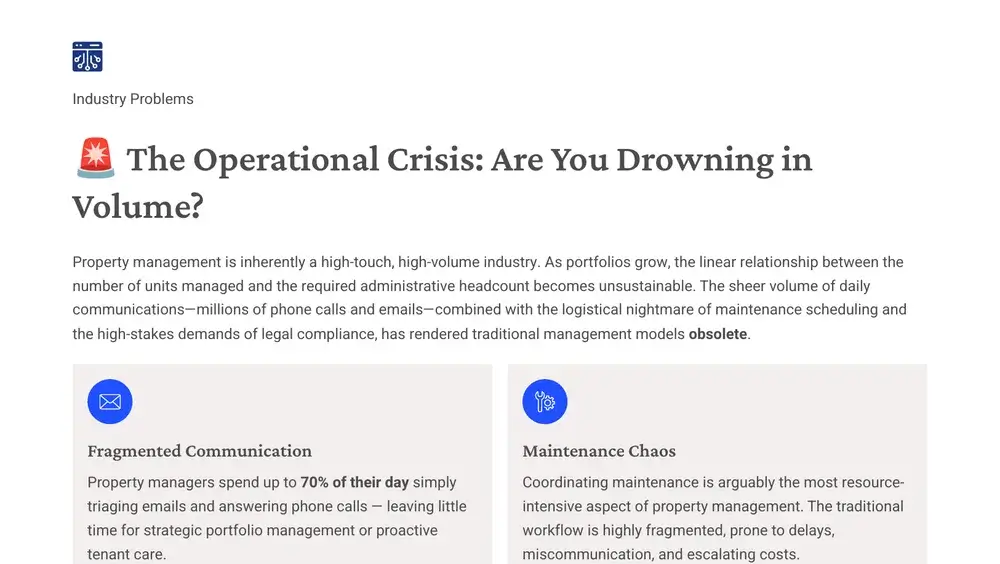
- Where a managing agent's time really goes, and the cost of doing nothing
- The compliance minefield of multi-occupancy buildings
- Traditional software, generative AI and agentic AI, compared
- Use cases, with every AI action kept on the record
Sent to your inbox as a PDF. No spam.
Related
Next step
See your role on your own blocks.
A 30-minute demo on a portfolio like yours: fire safety, repairs, residents and service charges, with the agents switched on.